01
Private by design
Keep code closer to your environment and use local models without forcing every workflow through a cloud provider.
Eymia makes private, local-first AI easier to use. Choose where your models run, keep control of your data, and bring powerful AI into real workflows without surrendering ownership.
Eymia helps people use AI on their own terms: choose where models run, keep control of their data, avoid provider lock-in, and use local workflows without Eymia token caps.
Use compatible local models when your information should stay close to you.
See and decide when a workflow uses a local or external provider.
Bring your own model and avoid being trapped by one AI provider.
Eymia does not meter the work you run locally by token.
The product direction is clear: practical AI coding help for solo developers, students, small teams, and businesses that do not want cloud-first tooling to be their only option.
Keep code closer to your environment and use local models without forcing every workflow through a cloud provider.
Use workspace indexing, project context, and repository structure for more relevant coding help than isolated chat prompts.
Preview patches, approve risky actions, and roll back changes when an edit is not the right fit.
Community proves the core loop. Pro adds individual power. Team adds collaboration. Enterprise adds governance.
Install the extension, choose a local or compatible backend, and let Eymia gather the project context needed for the task.
Search relevant files, prepare controlled changes with visible diffs, and run approved build, test, lint, or project commands.
Check actual command output, revise when verification fails, and report the evidence supporting completion.
Use Eymia independently from your terminal for local workspace exploration and repository analysis, or connect it as an optional companion to the VS Code workbench.
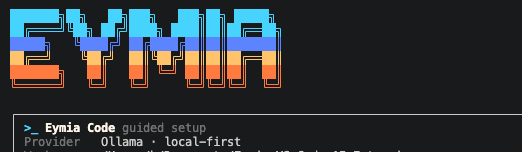
Local-first AI engineering inside VS Code, with controlled edits and verification.
Independent, terminal-first repository exploration with local Ollama models.
Shared household planning for shopping, pantry, meals, chores, bills, and events.
Install Eymia Community from the Visual Studio Marketplace and try the complete local coding and verification workflow for free in one workspace.